
Cloud Cost Optimization Strategies for SaaS Startups
Cut AWS and GCP infrastructure bills by 30% to 50% without hurting uptime. Proven rightsizing, reserved instances, and caching architectures.
Vayqube Team
Software architecture and product engineering
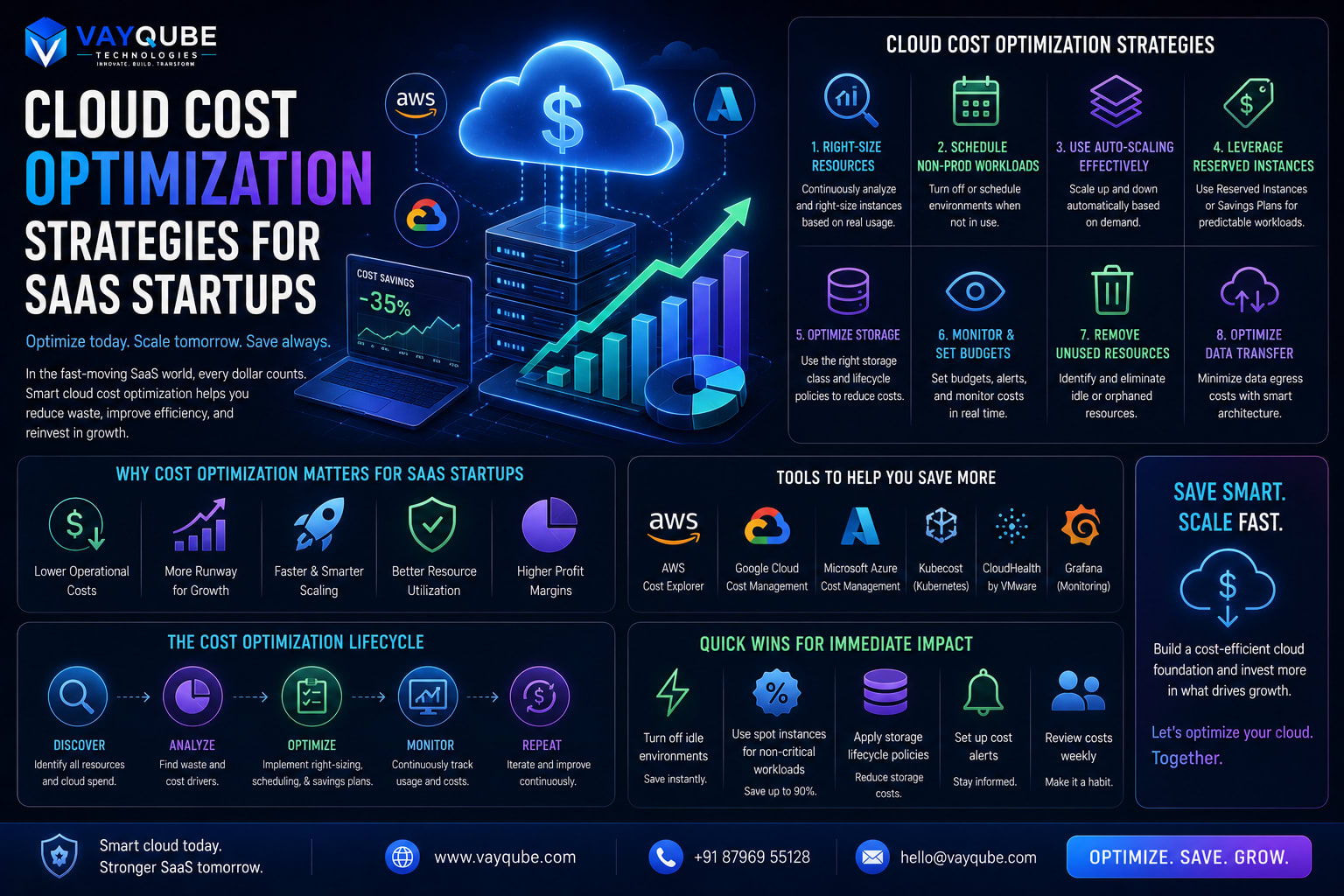
Cloud Cost Optimization Strategies for SaaS Startups
For growing software startups, cloud infrastructure expenses often grow faster than user acquisition. What begins as a modest $200 monthly AWS or GCP bill can quickly escalate into thousands of dollars of unoptimized compute, idle database clusters, and cross-region egress fees.
What is Cloud Cost Optimization for SaaS Startups?
Cloud cost optimization is the systematic practice of analyzing, rightsizing, and eliminating waste across cloud compute, storage, and networking resources. It ensures SaaS startups maximize engineering runway and gross margins without compromising application latency, automated scalability, data redundancy, or enterprise system reliability.
Optimization is not about cutting infrastructure quality. Rather, it focuses on eliminating dead allocations, aligning resource sizing with actual production utilization, and taking advantage of cloud vendor pricing commitments.
How Much Can SaaS Startups Save Through Cloud Optimization?
SaaS startups typically reduce monthly cloud infrastructure expenditures by 30% to 50% within 60 days of implementing structured FinOps audits. Savings stem from downsizing over-provisioned compute instances, eliminating orphan storage volumes, purchasing reserved capacity, and caching repetitive database queries at the edge.
By recapturing 30% to 50% of monthly cloud outlay, early-stage founders extend critical runway by months without raising dilutive capital or slowing feature delivery velocity.
Cloud Cost Optimization Levers & Impact
The following matrix compares common cloud optimization levers, their implementation complexity, and realistic savings impact:
| Optimization Lever | Target Infrastructure Area | Typical Savings Impact | Implementation Complexity |
|---|---|---|---|
| Compute Rightsizing | EC2, GCE, ECS container CPU/RAM | 25% – 40% compute bill reduction | Low (Analyze metrics & resize) |
| Savings Plans / Reserved Instances | Baseline databases and continuous servers | 30% – 60% compute discount | Low (1-year or 3-year commitment) |
| Spot / Preemptible Instances | CI/CD runners, batch queues, video processing | 60% – 80% on asynchronous workloads | Medium (Add fault-tolerant retry logic) |
| Orphan Storage & Snapshot Cleanup | Unattached EBS volumes, old S3 backups | 15% – 30% storage bill reduction | Low (Automated lifecycle rules) |
| Edge Caching & Query Indexing | CloudFront CDN, Redis cache, SQL indexes | 30% – 50% reduction in database load | Medium (Cache layer integration) |
Which Cloud Resources Cause the Highest Unplanned Expenses?
Unplanned cloud expenses are most frequently caused by idle over-provisioned database instances, unmonitored cross-region data egress transfer fees, unattached persistent SSD volumes, and unindexed full-table SQL scans. In AI-heavy SaaS systems, redundant foundation model API calls without caching also escalate monthly operational bills rapidly.
Common Cost Culprits to Audit First:
- Egress Transfer Fees: Data transfer between availability zones and multi-region microservices billed at $0.02 to $0.09 per GB.
- Over-Provisioned Databases: Running multi-gigabyte RAM database tiers at 5% CPU utilization when smaller instances suffice.
- Unattached EBS Volumes: Retained disks left running after deleting staging virtual machines.
- Lack of S3 Lifecycle Rules: Storing debug logs, build artifacts, and customer raw assets on standard storage indefinitely.
How Do You Choose Between On-Demand, Spot, and Reserved Instances?
Use on-demand instances for unpredictable traffic spikes and early validation workloads. Commit to one-year or three-year reserved instances or savings plans for predictable baseline databases and core microservices. Leverage spot or preemptible instances for fault-tolerant background queue processing, container builds, and asynchronous batch jobs.
Recommended Allocation Formula for SaaS:
- 60% Baseline Workloads: Reserved instances or Compute Savings Plans for primary API nodes and master SQL databases.
- 25% Variable Spike Traffic: Horizontal auto-scaling on-demand container pods managed by Kubernetes or AWS ECS.
- 15% Background Batch Processing: Spot instances with graceful termination handlers for workers handling asynchronous email delivery, image transformation, and heavy reports.
Frequently Asked Questions
What is cloud cost optimization for SaaS startups?
Cloud cost optimization is the systematic practice of analyzing, rightsizing, and eliminating waste across cloud compute, storage, and networking resources. It ensures SaaS startups maximize engineering runway and gross margins without compromising application latency, automated scalability, data redundancy, or enterprise system reliability.
How much can SaaS startups realistically save through cloud optimization?
SaaS startups typically reduce monthly cloud infrastructure expenditures by 30% to 50% within 60 days of implementing structured FinOps audits. Savings stem from downsizing over-provisioned compute instances, eliminating orphan storage volumes, purchasing reserved capacity, and caching repetitive database queries at the edge.
Which cloud resources cause the highest unplanned expenses?
Unplanned cloud expenses are most frequently caused by idle over-provisioned database instances, unmonitored cross-region data egress transfer fees, unattached persistent SSD volumes, and unindexed full-table SQL scans. In AI-heavy SaaS systems, redundant foundation model API calls without caching also escalate monthly operational bills rapidly.
How do you choose between on-demand, spot, and reserved instances?
Use on-demand instances for unpredictable traffic spikes and early validation workloads. Commit to one-year or three-year reserved instances or savings plans for predictable baseline databases and core microservices. Leverage spot or preemptible instances for fault-tolerant background queue processing, container builds, and asynchronous batch jobs.
Related Vayqube Resources
- Cloud DevOps Services
- Cloud Migration Strategy
- Custom Software Development Company India
- Web Application Development Services
Next Step
If your monthly cloud bill is draining startup cash reserves, request a professional cloud architecture and FinOps audit with Vayqube engineering.
Talk to a Vayqube solution architect to evaluate your AWS or GCP infrastructure, eliminate cloud waste, and establish scalable cost guardrails.